Skip to content
ahhad4d Sports / Live
LIVE LOBBY

ahhad4d — Your Account Starts with DANA, OVO or GoPay

Slots from PG Soft and Habanero, live dealer tables, and football sportsbook markets are all inside one lobby — accessible from your phone the moment your wallet is connected. Available where local law permits in Indonesia.

DANA OVO GoPay
Browse games
CONTENT / 01

One Lobby, Three Ways to Fund It

At ahhad4d, the account dashboard is where everything starts. Once you open an account, you connect your preferred e-wallet — DANA, OVO, or GoPay — and the lobby opens up across slots, live casino tables, and sportsbook markets in a single view. There is no switching between separate apps or logging into different sections. Your wallet balance, transaction history, and active games all sit in the same place.

DISCOVER / 01

Choose your game

Full lobby
GAME NETWORK
PlayStar
Microgaming
Habanero
PG Soft
Joker
CONTENT / 04

ahhad4d lobby studios

The ahhad4d lobby carries content from PlayStar, Microgaming, Habanero, PG Soft, Joker. To check the studio, rules or features of one specific game, open that game card or the published information panel.

  • PlayStar

  • Microgaming

  • Habanero

  • PG Soft

  • Joker

ACCOUNT DASHBOARD

What Your Account Shows After Login

After you log in, the account dashboard displays your current wallet balance, your connected payment routes, and any account-level status relevant to your session. The current state of available account offers — if any are running — is shown directly in your dashboard rather than on a fixed schedule. There is no separate page to check; whatever is active for your account appears there when you are logged in. Your primary payment route is set in account settings.

Login
LOCAL PAYMENTS

DANA, OVO and GoPay — Your Three Deposit Routes

ahhad4d is configured around Indonesia's three most-used mobile wallets. DANA, OVO, and GoPay each work as a standalone deposit route, and you connect them through the payment section of your account settings after registration. The process follows the fields and verification steps shown in your account — we do not add steps beyond what your wallet provider requires for a transfer confirmation. Once a wallet is connected, you set it as your primary route.

  • DANA

    DANA is one of the three connected wallet routes at ahhad4d. Set DANA as your primary deposit route in account settings. Transfers follow DANA's standard confirmation flow inside the DANA app. Transaction records for DANA deposits appear in your payment history tab after each confirmed transfer.

  • OVO

    OVO connects as a deposit route through the payment section of your ahhad4d account settings. Once connected, OVO can be set as your primary or kept as a backup alongside DANA and GoPay. OVO transfer confirmations follow the standard OVO app flow, and each deposit is recorded in your account's payment history.

  • GoPay

    GoPay works as a third connected wallet route in your ahhad4d account. Connect it through account settings and use it as your primary route or a ready backup. GoPay deposits follow the confirmation steps inside the GoPay interface, and the result is reflected in your account balance once confirmed.

Banking
AHHAD4D
Mobile casino lobby
Popular Live Slots
Live Baccarat Elite Casino Holdem Table Volleyball Proliga Bet
MOBILE LOBBY

Built for phones, clear on desktop

Cards, tables, FAQ and policy pages stay easy to read on smaller screens.

  • Quick categories
  • Mobile first
  • Access
App
CONTENT / 03

Slot Sessions on Your Phone, Live Tables on Desktop

The ahhad4d lobby adapts to the screen you are using without requiring a separate download. On a mobile browser, the layout shifts to a single-column navigation with the slot catalog and your wallet status in a swipeable rail at the top. Titles from PG Soft in particular are designed around the portrait screen format, so those sessions feel natural on a phone rather than a shrunken desktop layout. Switching between your phone and a desktop browser does not affect your account state.

  • Mobile Wallet Access

    DANA, OVO, and GoPay are all accessible from the mobile view of your ahhad4d account. Initiate a deposit directly from your phone by going to the payment section in your account settings. The wallet transfer runs through your existing wallet app and the confirmed amount updates in your account balance.

  • Swipe-Rail Catalog

    On mobile, the ahhad4d game catalog loads in a horizontal swipe rail organised by category — slots, live casino, sportsbook. Titles from PG Soft and Habanero appear in the slots rail. Tap a title to open its game screen, which shows available features and, where published, RTP information before you start.

  • Account on Any Screen

    Your ahhad4d account carries the same state across devices. Open a slot session on your phone and come back to it on desktop without losing your place. Account settings, payment routes, and transaction history are available from both mobile and desktop without any additional login or sync step.

FEATURE BRIEF / 05

Live Baccarat Elite, Spaceman Crash Play and Fishing War Arcade

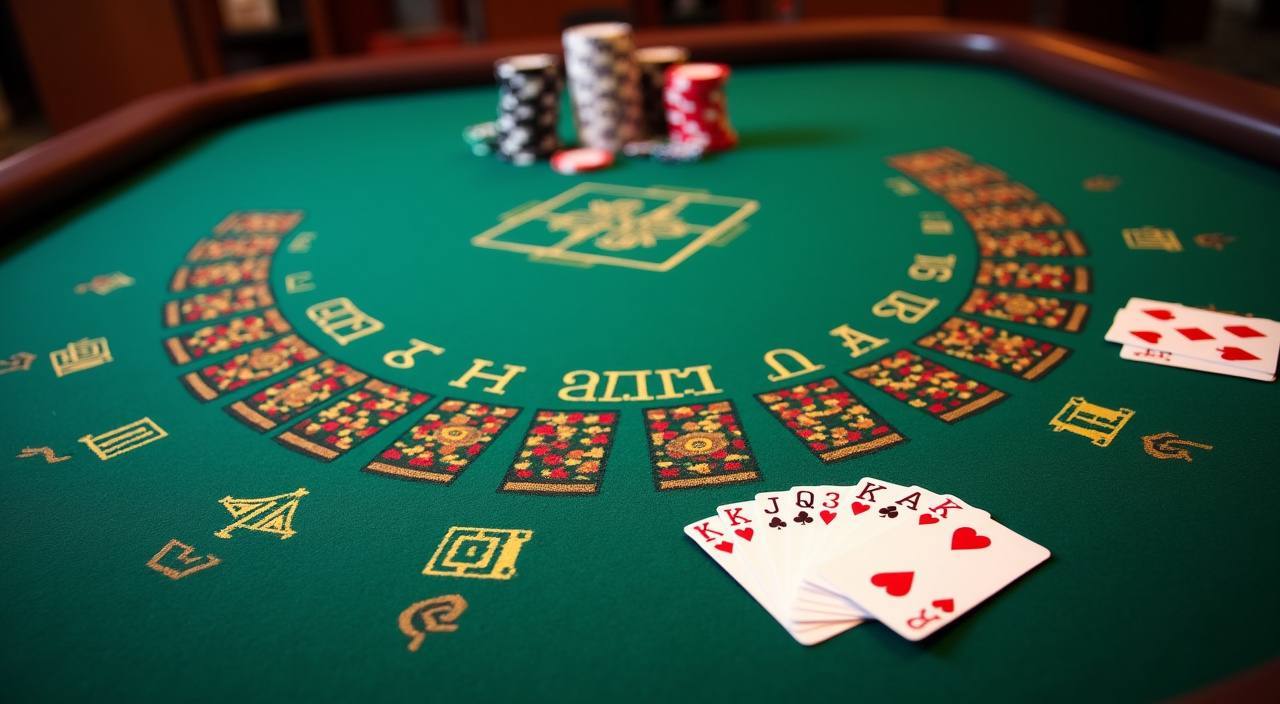
Three titles that visitors open frequently from the ahhad4d lobby represent different corners of the catalog. Live Baccarat Elite is a live dealer table game — a real dealer runs the game in real time and you place bets on the outcome from your account screen. Casino Holdem Table works the same way, with a live dealer running a Hold'em format at a real table.

Game feature guide
  • Live Baccarat Elite

    Live Baccarat Elite is a real-time dealer table in the ahhad4d live casino section. A live dealer runs each hand and the result is shown on your screen as it happens. Access the table from the live casino filter in the lobby. Available on desktop and mobile, subject to regional access rules.

  • Spaceman Crash Play

    Spaceman Crash Play is a crash-format title in the ahhad4d lobby. Each round starts, the multiplier climbs, and you decide when to exit. The outcome is generated by the game itself and displayed in real time. Find it in the crash or slots section of the catalog after login.

  • Fishing War Arcade

    Fishing War Arcade is an arcade-format title from the Joker catalog inside ahhad4d. Players target fish on screen and prizes are credited based on the catch. The game runs in the arcade section of the lobby. Load it from your account on mobile or desktop, availability subject to your region.

  • Football Sportsbook

    Football markets in the ahhad4d sportsbook cover Liga 1 and European competition rounds. Browse available matches from the sportsbook section after login. Markets shown are those currently open for the active fixture list. MMA One Championship and Volleyball Proliga Bet sit alongside football in the same sportsbook section.

GETTING STARTED

From Account Registration to Your First Lobby Session

Opening an account at ahhad4d takes a few steps that are all handled from the account registration page. You fill in the fields shown on that page — the form specifies what is required — and submit. Once the account is confirmed, you log in and reach the account dashboard. From the dashboard, go to account settings and open the payment section. This is where you connect your first wallet.

  1. Open an Account

    Go to the ahhad4d registration page and complete the fields shown there. The form tells you what information is required. Once submitted and confirmed, your account is ready to log into.

  2. Connect Your Wallet

    After login, open account settings and go to the payment section. Connect DANA, OVO, or GoPay by following the verification steps shown on screen. Set one as your primary route and keep the others as backups.

  3. Fund and Explore

    With a connected wallet, initiate a deposit from the payment section. Once confirmed, your balance updates in the dashboard. Open the lobby, pick a category, and start a session from any title available in your region.

MEMBER DESK / 06

Offers, support and account controls

01

Game lobby

02

Payment guide

03

Support

TRUST / 03

Help with Your ahhad4d Account and Wallet Connections

Account support at ahhad4d covers the questions that come up most often: wallet connection issues, deposit confirmations that are not reflecting in your balance, account login access, and questions about which game titles are available in your region. The support section is accessible from the account dashboard after login, and from the help link on the main site for questions before you have an account.

  • Wallet and Payment Help

    If a DANA, OVO, or GoPay deposit is not showing in your ahhad4d account balance after the wallet confirms the transfer, contact support with your wallet transaction reference. The team can check the transfer against your account record and advise on next steps. Payment help is available through the support channels listed in your account dashboard.

  • Account Access Support

    Login issues, password resets, and account verification questions are handled through the account support section. Access the help link from the login page or from the main site navigation. The account support process follows the steps shown in the help section — have your registered details ready when you reach out.

  • Game and Regional Access

    If a title is not loading or a sportsbook market is not showing in your lobby, this may be related to regional access rules. Support can confirm which content is available from your account location. Check the help section for the current list of contact channels and availability hours.

Learn more →
TRUST / 03

Your Account Settings and Access Controls

ahhad4d gives you direct control over your account from the settings section after login. Payment route management, session history, and account status are all visible there without needing to contact support for routine checks. Your wallet connections — DANA, OVO, GoPay — are listed in the payment section with their current connection status, so you can see at a glance which routes are active. Access to the platform depends on local law and is available only in eligible regions.

  • Payment Route Control

    Your DANA, OVO, and GoPay connections are managed entirely from the payment section of your account settings. Switch your primary route, add a new wallet connection, or check the status of an existing one without leaving the account dashboard. Changes take effect immediately and are reflected in the payment section.

  • Session and Transaction History

    The account history tab shows a record of game sessions and deposit transactions by date, wallet, and amount. Use this to review your activity on the platform. The history is updated after each confirmed session or transaction and is accessible from both mobile and desktop views of your account.

  • Regional Access Information

    Platform access depends on local law and the eligible region associated with your account. The registration page and account settings both show the access conditions relevant to your account. For specific questions about regional eligibility, the support section provides current information about where ahhad4d is available.

  • Account Status Visibility

    Your account status — active, under verification, or otherwise — is shown in the account dashboard after login. If any action is required on your account, the dashboard displays a notification with the relevant next step. No account changes happen without being reflected in the dashboard view.

Learn more →
PLAYER INDEX / 07

Game Mechanics and Account Terms Explained

Short explanations of the terms you will encounter in the ahhad4d lobby, from game mechanics to account and payment vocabulary.

Player guide and glossary
  • What is RTP and where do I find it on ahhad4d?

    RTP stands for Return to Player — it is a published percentage that describes the theoretical long-run payout rate for a specific game title. On ahhad4d, RTP is shown on the individual game screen before you start a session, but only where the studio or provider has published that figure. Not every title publishes RTP data. If it is not shown on the game screen, we do not display a number for it.

  • What is a crash game and how does Spaceman Crash Play work?

    A crash game is a format where a multiplier starts at the beginning of each round and climbs until the round ends. You place your position and choose when to exit before the round ends — exiting earlier locks in a lower multiplier, waiting longer risks a higher one. Spaceman Crash Play on ahhad4d follows this format. The round outcome is generated by the game's own mechanism, shown in real time on screen.

  • What does a live dealer table mean in the ahhad4d lobby?

    A live dealer table is a game session where a real person deals cards or runs the game in real time, streamed to your screen. Live Baccarat Elite and Casino Holdem Table at ahhad4d both use this format. You see the dealer on screen, place bets from your account, and the outcome of each hand is determined by the physical cards dealt — not a random number generator running invisibly.

  • What is a bonus round in a slot game?

    A bonus round is a feature within a slot title that triggers under certain conditions — usually a specific symbol combination on the reels. During a bonus round, the game enters a different mode that may involve slot feature spins, a different reel set, or a prize-multiplier mechanic. The specific bonus round mechanics for any title are described on that game's screen. The term refers to a game feature, not a platform offer.

  • What does primary payment route mean in my account settings?

    Your primary payment route is the wallet — DANA, OVO, or GoPay — that is set as your default deposit method. When you initiate a deposit, the transfer flows through your primary wallet by default. You can change which wallet is primary at any time in the payment section of your account settings. Changing the primary route does not disconnect your other wallets; they remain available as backups.

  • What is a sportsbook market?

    A sportsbook market is a specific betting option on a sporting event — for example, a match outcome, a handicap, or a score range for a Liga 1 football game. The ahhad4d sportsbook section lists the markets currently open for upcoming fixtures. Markets open and close based on the fixture schedule; the current open markets are shown in the sportsbook section after login.

  • What is an e-wallet in the context of ahhad4d deposits?

    An e-wallet is a digital payment account linked to your phone number or bank account — DANA, OVO, and GoPay are the three e-wallets connected at ahhad4d. When you deposit, you transfer funds from your e-wallet balance to your ahhad4d account using the wallet app's standard transfer confirmation flow. The deposit appears in your ahhad4d account balance once the wallet confirms the transfer.

Full glossary
LOBBY / 02

One mobile lobby, distinct game areas

Live Baccarat Elite Live Live Baccarat Elite Access → Casino Holdem Table Slots Casino Holdem Table Access → Volleyball Proliga Bet Sports Volleyball Proliga Bet Access → Spaceman Crash Play Slots Spaceman Crash Play Access → Fishing War Arcade Slots Fishing War Arcade Access → MMA One Championship Sports MMA One Championship Access →
EXPLORE FURTHER / 04

Explore detailed guides

Local lobby check

QUICK ANSWERS

Frequently asked questions

Answers to the questions that come up most often from visitors opening an account or navigating the lobby for the first time.

Read FAQ →
How do I connect DANA, OVO, or GoPay to my ahhad4d account?

After logging in, go to account settings and open the payment section. Each of the three wallets — DANA, OVO, GoPay — is listed there with a connect option. Follow the verification steps shown on screen for each wallet; these steps are set by the wallet provider. Once connected, set one as your primary route. You can keep all three connected at the same time and switch between them as needed.

Can I use more than one wallet at the same time?

Yes. All three wallets — DANA, OVO, and GoPay — can be connected to your ahhad4d account simultaneously. One is designated as your primary deposit route, but the others stay active as backups. If you want to deposit from a different wallet on a given day, change the primary route in account settings before initiating the transfer. The switch takes effect immediately.

Where do I find the games available in my region?

The ahhad4d lobby shows the titles available for your account location after you log in. Game availability depends on local law and the eligible region tied to your account. If a title you are looking for is not showing, it may not be available in your region. The support section can confirm regional access details for specific titles or categories if you need clarification.

How do I find football betting markets on ahhad4d?

Football markets are in the sportsbook section of the ahhad4d lobby. After login, navigate to the sportsbook tab and the current open markets are listed there. Liga 1 matches and European football fixtures appear when markets for those events are open. The list updates based on the fixture schedule — markets for upcoming matches open in advance and close when the event starts or as set by the sportsbook.

What happens if my deposit does not show in my account balance?

If your DANA, OVO, or GoPay app confirms the transfer but your ahhad4d account balance has not updated, contact support with the transaction reference from your wallet app. This reference is the fastest way for the support team to locate the transfer on the account side. Access support through the help section of your account dashboard or the support link on the main site.

Is ahhad4d accessible on mobile?

The ahhad4d lobby and account are accessible from a mobile browser without a separate download. The layout adapts to your phone screen with a swipeable game catalog and wallet access in the account settings. Your account state — connected wallets, balance, session history — is the same whether you access from mobile or desktop. Platform access depends on local law and is available where eligible in Indonesia.

Where can I see my deposit history and game sessions?

Your deposit history and game session records are in the account history tab, accessible from the account dashboard after login. Each entry shows the date, the wallet used, and the transaction or session details. The history tab is available from both mobile and desktop views of your account and updates after each confirmed transaction or completed session.

What studios supply the games in the ahhad4d lobby?

The ahhad4d game catalog draws from five studios: PlayStar, Microgaming, Habanero, PG Soft, and Joker. You can filter the lobby by studio to browse titles from a specific provider. These studios supply game content — slot titles, live dealer tables, and arcade-format games. Studio availability in the lobby is subject to regional access rules that apply to your account location.

READY WHEN YOU ARE

ahhad4d game lobby

Access may be available only where local law permits.

Register Login